AdPlug vs AdKit: an AdKit alternative for PPC specialists and agencies
Quick answer: If you run PPC for a living, as a specialist, a consultant or an agency, AdPlug is the better fit: it connects Google Ads, Meta Ads, LinkedIn Ads, Microsoft Ads, Reddit Ads and TikTok Ads to Claude, ChatGPT or any AI agent, works on every ad account you have on every plan (the free one included), and won't run a Google Ads change until its server holds a preview of it. AdKit is aimed at founders running their own ads, with a competitor ad library and AI-made creatives thrown in. Its $49 plan stops at one ad account per platform, anything more is $97 a month, and out of the box the AI can publish its own drafts. AdPlug (adplug.app) is mine, so bear that in mind.
I've spent twelve years inside B2B Google Ads and LinkedIn Ads accounts, and more than $100M of other people's money has gone through my hands. That makes me fussy about what I plug into a client's account. So before writing this I read AdKit's pricing, docs, terms and GitHub repo, then every public review I could track down. Fair warning: AdPlug is my product, and I run it every day on my own accounts and my agency's clients.

AdPlug vs AdKit: who should pick which
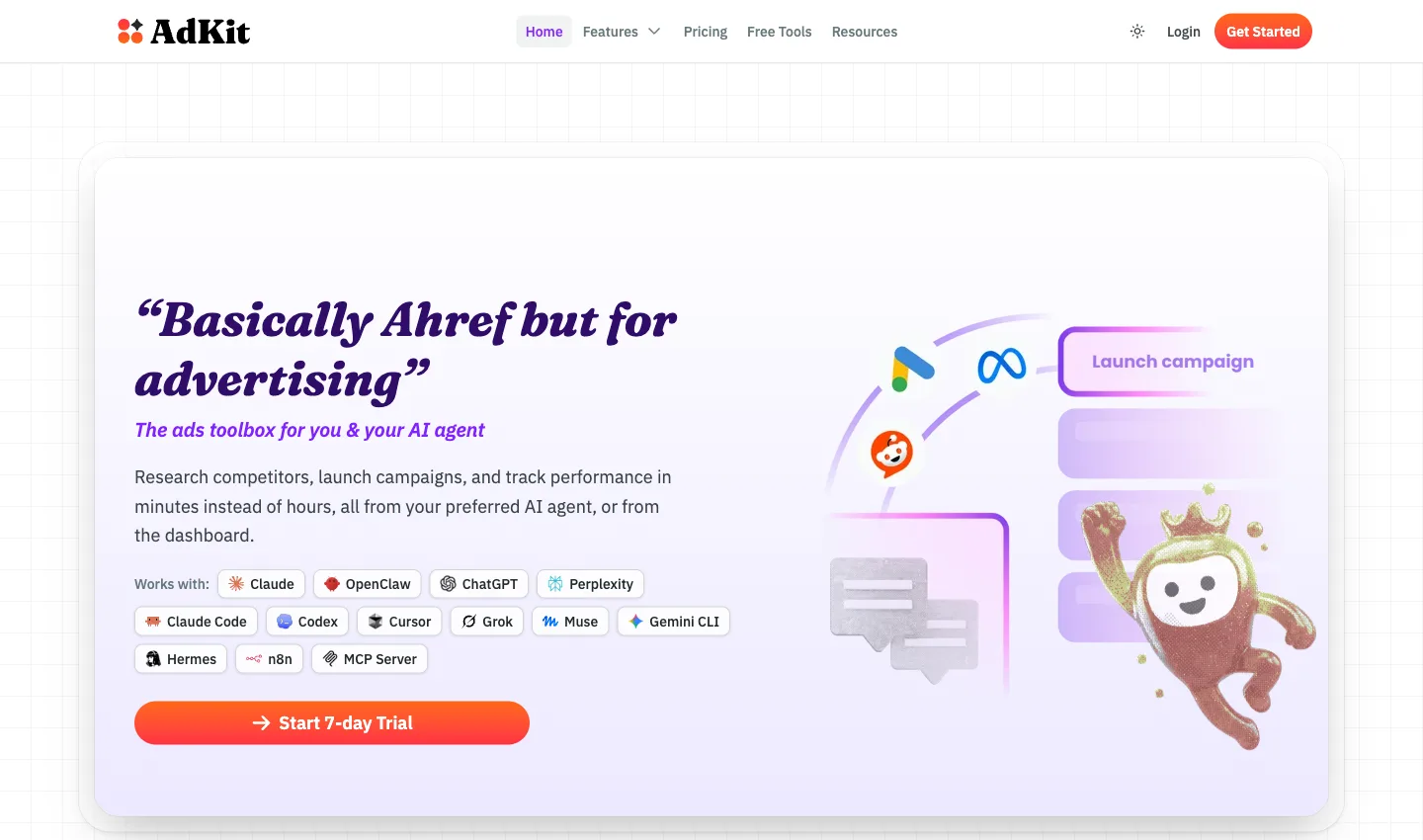
Both plug your ad accounts into Claude and ChatGPT, and both can change campaigns as well as read them. AdKit calls itself "Basically Ahref but for advertising" (its spelling, not mine): a toolbox with a library of competitor ads, an AI that makes static ads, and an MCP server so your AI can launch campaigns. The difference is who it's built for, and what a second client costs you.
AdKit puts "Founders & Solopreneurs" first on its homepage: people who "don't have the budget for an agency" and want "to run ads yourself". It's made for you, it says, if "You've wanted to run ads for a while but the interfaces put you off."
AdPlug is built for the people those founders would otherwise hire: PPC specialists, consultants and agencies who know what good looks like and want AI to do the legwork. It plugs your accounts into the AI you already use, every call stays yours, and every ad account comes with every plan.
 Pick AdPlug if
- You run PPC for a living, in-house, freelance or at an agency, and want AI to do the legwork while you make the calls
- You look after lots of accounts: every AdPlug plan, the free one included, works on unlimited ad accounts
- You'd rather not pay $97 a month the day you add a second client: AdPlug Pro is $29 for every account you have
- You want every Google Ads change checked in a preview on the server, whatever setting someone forgot to change
- You want Google Ads depth: 174 named kinds of change, from negatives and budgets to experiments and Performance Max asset groups
- You report on pipeline: Google Ads and HubSpot's contacts, deals and lifecycle stages in the same chat
- You'd rather trust a tool built by a PPC specialist who uses it every day, on his own accounts and his agency's clients
 Pick AdKit if
- Competitor ad research and AI-made static ads are a big part of your week
- You want the AI's changes to wait in a dashboard queue until you click publish
- X Ads or ChatGPT Ads is part of your mix
- You're a founder running your own ads, not a specialist running other people's
- You don't mind paying $97 a month to connect a second client when $29 covers all of them (it's your money)
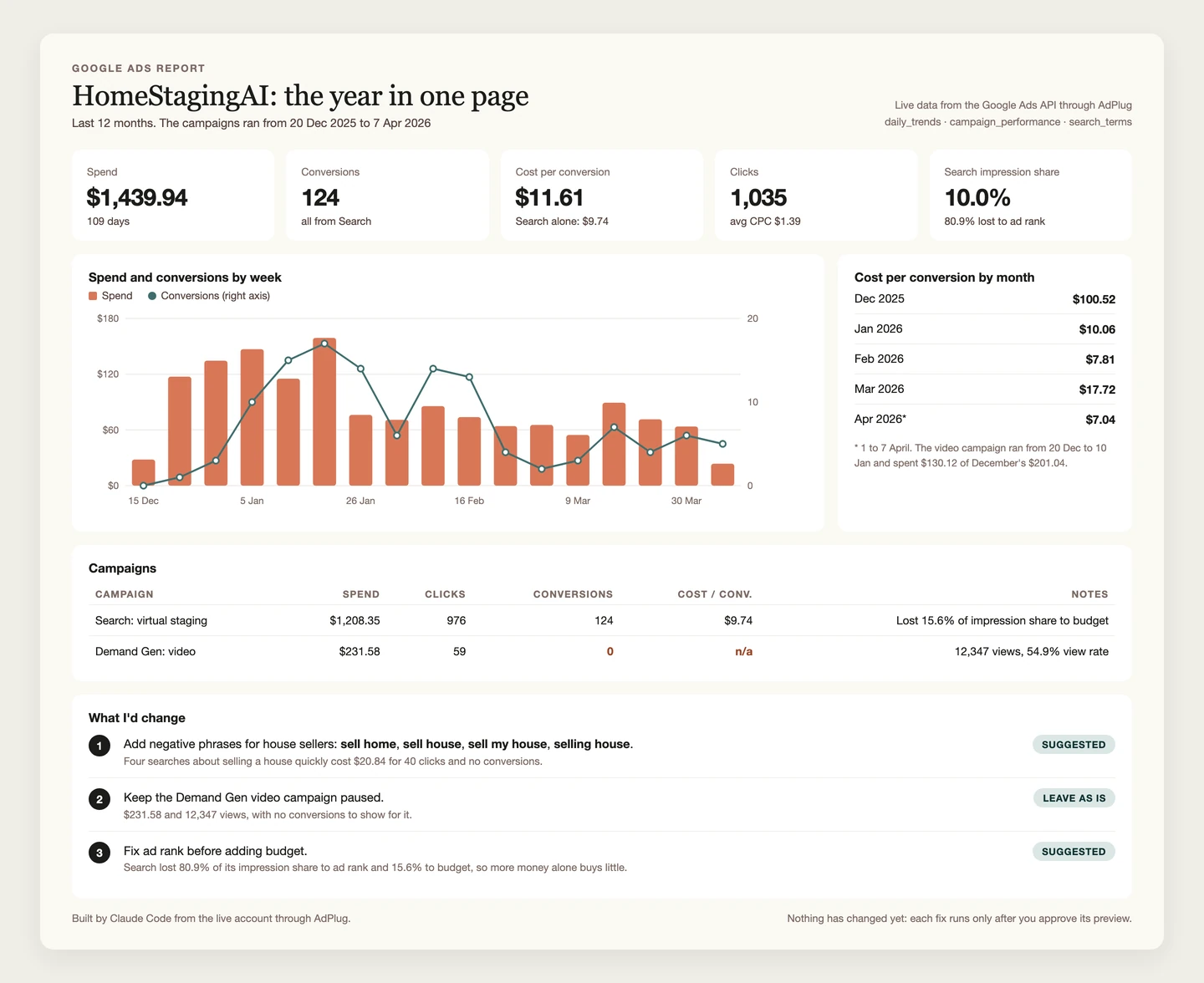
And if all you're after is a client dashboard, you don't need to pay either of them for it. AdPlug's free plan reads your accounts, and Claude or ChatGPT builds the dashboard from what it reads, laid out the way you want.
The real difference: who it's built for, and what a second client costs
AdKit sells a workflow for people who'd rather not learn the ad managers: find a competitor's ad, clone it with AI, let the agent draft the campaign, click approve. Its Google Ads page answers "Do I need to know how to code?" with "If you can type instructions to Claude or Cursor, you can manage ads." For a founder with one product and one ad account, that's a fair promise.
It gets expensive the moment you have clients. AdKit's cheaper plan, Single Project, covers "1 ad account on each platform". A second Google Ads account means Multiple Projects: $97 a month, or $49 a month billed yearly. There's no free plan, only a 7-day trial.
| Ad accounts per platform | AdKit | AdPlug |
|---|---|---|
| 1 | $49 monthly, or $29 billed yearly | Free to read, $29 on Pro to change |
| 2 to 10 | $97 monthly, or $49 billed yearly | $29 on Pro, $89 on Max |
| 25 or more | $97 monthly, or $49 billed yearly | $29 on Pro, $89 on Max |
AdPlug doesn't count accounts at all. Every plan works on unlimited ad accounts, the free one included, and the AI can move between them in one chat. What Pro meters is usage, 5,000 requests and 200 edits a month, and Max has no meter at all. To be fair to AdKit, both its plans include unlimited team seats, where AdPlug Max includes three and AdPlug Agency is priced per seat, and its price includes the ad library and the creative tools.
But if you're a PPC specialist, you already know where to find a competitor's ads and how to brief a designer. What you're short of is hours, across a lot of accounts. That's the job AdPlug is built for.
How a change reaches your account
Both tools say you approve the changes, and AdKit says it louder than anyone: "Every change your agent makes is a draft by default" and "Nothing touches your live accounts without approval." If you manage other people's money, the settings page matters more than the homepage.
How AdKit makes changes
AdKit's design is good. Changes are saved as drafts inside AdKit first, and each AI connection gets one of four access levels: Disabled, Read-only, Draft only, or Draft + Publish. On Draft only, the AI can prepare whatever it likes and nothing goes live until you click publish in AdKit's dashboard. That's a real hold, on AdKit's server, and I'd use it.
It just isn't the default. Its own access levels page says so: "New projects start on Draft + Publish, so an agent can finish a job without you opening the dashboard. The trade-off is that a misread request can go live with real spend behind it." On that level the AI publishes its own drafts "when you ask", which means the yes lives in the chat again. A reviewer who was paid to test it noticed the same thing: "it arrives on the most autonomous level by default, so decide before you connect."
Two more details. Every change, on every platform, goes through one tool, adkit_manage. And on Microsoft Ads and ChatGPT Ads, both in beta, AdKit's docs say "your agent manages campaigns through direct platform API calls, which you switch on" in its settings. I couldn't find whether those calls go through drafts.
How AdPlug makes changes
AdPlug has no agent of its own, on purpose. Claude or ChatGPT does the thinking, and AdPlug is the plug socket between it and your accounts. On Google Ads a change takes two separate tool calls, and the server won't run the second without the first. There's no setting that turns that off.
- You ask: "Find the search terms that are wasting money, and block them."
- The AI reads the search terms report and works out which ones spend without converting.
- It calls AdPlug's preview tool. The server checks the change and stores it exactly as it will run, under an ID: which negatives, which match types, in which campaigns. Nothing has changed in Google Ads yet.
- You read it. Wrong term, wrong campaign? Say so, and it never runs.
- Only after your yes can the execute tool run, and only on that stored preview. It runs once and expires after 15 minutes, so last week's yes can't turn into this week's change.
- AdPlug logs the call, and the change shows in Google Ads' own change history.

 Claude
Find the search terms that are wasting money in Search · Generic, and block them.
google_ads_preview_add_negativesAdPlug - Google AdsPreview · Acme Software · 3 campaign negatives
| Negative | Match type | Spend, 30 days | Conversions |
|---|---|---|---|
| free crm software | Phrase | $186.20 | 0 |
| crm jobs | Phrase | $97.40 | 0 |
| what is a crm | Exact | $64.75 | 0 |
These three search terms cost $348.35 in the last 30 days without a conversion. I'd add them as negatives on Search · Generic only, so Brand and Competitors are untouched. Nothing changes until you say so. Shall I add all three?
Add all three.
google_ads_execute_add_negativesAdPlug - Google AdsDone. The three negatives are on Search · Generic, and Google Ads' change history shows them.
The AI can't skip that step, because the rule lives on AdPlug's server, not in a setting someone can leave on the default. HubSpot and Search Console changes work the same way. On Meta, AdPlug's preview runs campaign, ad set and ad changes through Meta's own validate-only check, so Meta itself reports what would fail before anything changes. It isn't forced on Meta yet, so ask for it in your prompt. And everything AdPlug creates on Meta starts paused, as new Google Ads campaigns do unless you say otherwise.
So switch AdKit to Draft only on day one and the two are close: its yes sits in a dashboard, AdPlug's in a stored preview the AI can't skip. Leave AdKit on its default and the AI can publish whatever it thinks you asked for. I want the check in the server whatever anyone set up, not in a setting a new teammate never opened.
Pull the search terms report for the last 30 days. Show me the terms that spent money without converting, suggest negatives with match types and the campaigns they belong in, and show me the preview. Don't change anything until I say so.
AdKit reviews: what its users say
I built a rival, so don't take AdKit's faults from me. Here's what its users and its reviewers say, read on 27 Oct 2026. Start with where the reviews are.
| Where | Rating | Reviews |
|---|---|---|
| Trustpilot | 4.6 | 20, eight of them from 2025 about its earlier ad image generator |
| G2 | None yet, unclaimed profile | 0 |
| Product Hunt | No reviews | 0 |
| Capterra | No listing | 0 |
Trustpilot is where AdKit's users talk, and they like it. Twelve of the 20 reviews came in the last 12 months, and Trustpilot notes AdKit hasn't invited reviewers recently. The other eight were written for Generate Ads AI, AdKit's earlier product, and merged into its profile.
What users like
Speed, and the founder's support. Most of the reviews mention one or the other.
“Within minutes I connected my Claude to each ad platform for all my clients and I was up and running.”
“the immediate founder support to resolve issues and get us up and running truly confirmed that AdKit is the real deal”
What goes wrong
The complaints are mild on Trustpilot. One reviewer who loves it adds "Occasional bugs, but they're small and the team fixes them asap", and says they've "only used it for Meta so far".
The most detailed test I found is a four-day trial on a real Instagram campaign, written by an app developer for a review site. It's fair and mostly positive, and two of its findings matter if you run other people's money:
“My first Meta ad reported publish success and showed active, but spend stayed at zero.”
Meta had rejected the ad, and in the reviewer's words "the rejection never reached the agent." The second was on TikTok: a budget of ₩50,000 showed as "$50,000.00/day". The reviewer blames the first on their own setup and calls the second a bug in AdKit's TikTok path. Both are the kind of mistake you only catch if you open the platform yourself, which is the reviewer's advice too.
Every tool has bugs (mine included). But an ad that reads as live when it isn't, or a budget in the wrong currency, is the kind of bug that hurts in PPC, because you act on it. Whatever you use, check the AI's numbers against the platform before you change anything.
AdPlug vs AdKit, side by side
Checked on each company's own pages on 27 Oct 2026. Edge marks the side that wins a row, only where that's a plain fact rather than my opinion.
| Compared | AdPlug | AdKit |
|---|---|---|
| Where it works | ||
| Platforms | AdPlugGoogle Ads, Meta Ads, LinkedIn Ads, Microsoft Ads, Reddit Ads and TikTok Ads, plus Google Search Console and HubSpot on connectors of their own. | AdKitMeta, Google Ads, TikTok and LinkedIn live, with Reddit, Microsoft Ads, X and ChatGPT Ads in beta. Pinterest and Snapchat “coming soon”. |
| Google Ads depth | AdPlug17 tools, and 174 named kinds of change, from negatives and budgets to experiments and Performance Max asset groups, each checked in a preview. | AdKitSearch, Shopping, Display and Performance Max: campaigns, ad groups, keywords, ads, bids, budgets and negatives, all through one tool. |
| AI clients | AdPlugClaude, ChatGPT, Claude Code, Codex, Grok Bot, Hermes Agent and any AI agent that accepts a remote MCP address. | AdKitClaude, ChatGPT, Claude Code, Codex, Cursor, Perplexity, Grok, Meta's Muse, Gemini CLI, Hermes, OpenClaw and n8n, plus its own command-line tool. |
| Setup | AdPlugSign up, sign in through each platform's own screen, paste one address into your AI. Nothing to host. | AdKitSign up, sign in to each platform, assign each ad account to a project (or let the AI do it), then paste one address into your AI. |
| Built for | AdPlugPPC specialists, consultants and agencies working in Claude, ChatGPT, Grok Bot, Hermes Agent or their own AI agents. | AdKitFirst on its homepage, “Founders & Solopreneurs” who “don't have the budget for an agency”, then agencies, growth marketers and brand managers. |
| Sources: AdKit's homepage, docs, Google Ads page and GitHub repo. Checked 27 Oct 2026. | ||
| How changes happen | ||
| Who does the work | AdPlugThe AI you already use, when you ask or on a schedule you set in it. AdPlug never acts on its own. | AdKitThe AI you already use, through AdKit's one management tool, or you in AdKit's dashboard. |
| Approving a change | AdPlugGoogle Ads: the server won't run a change without a stored preview of that exact change, on every plan, with no setting to turn it off. | AdKitDrafts first. On Draft only, you publish each one in the dashboard. On Draft + Publish, the default, the AI publishes them when you ask in the chat. |
| Default for a new account | AdPlugThe free plan is view only. Paid plans preview every Google Ads change.Edge | AdKitDraft + Publish. Its docs: “a misread request can go live with real spend behind it.” |
| Read-only option | AdPlugThe free plan is view only, and any teammate can be set to View only on each platform. | AdKitAny AI connection can be set to Read-only, and any teammate to Read only on chosen projects. |
| Sources: AdKit's access levels and team access docs. Checked 27 Oct 2026. | ||
| What it costs | ||
| Starts at | AdPlugFree, then Pro at $29 a monthEdge | AdKit$49 a month, or $29 a month billed yearly. No free plan, a 7-day trial. |
| Ad accounts | AdPlugUnlimited on every plan, the free one includedEdge | AdKitOne per platform on Single Project. Unlimited on Multiple Projects |
| Ten client accounts | AdPlug$29 on Pro, or $89 on Max with unlimited requests and editsEdge | AdKit$97 a month, or $49 a month billed yearly |
| Usage | AdPlugPro: 5,000 requests and 200 edits a month. Max: unlimited. | AdKitNo usage limits on either plan. |
| Refunds | AdPlugCancel anytime, 14-day refund window | AdKit“Cancel in one click, anytime.” Its terms don't mention refunds. |
| Sources: AdKit's pricing page and terms, and AdPlug's pricing. Checked 27 Oct 2026. | ||
| Teams and agencies | ||
| Access per user | AdPlugView only or Can edit for each teammate on each platform, enforced on every request. | AdKitWrite or Read only for each teammate, on the projects (clients) you pick, the same on every platform. |
| Team members | AdPlugThree on Max, then priced per seat on Agency. | AdKitUnlimited on both plans.Edge |
| CRM and pipeline | AdPlugHubSpot from Pro, with contacts, deals and lifecycle stages next to your ad data: three portals on Pro, ten on Max and Agency.Edge | AdKitRuns inside HubSpot's own agents, but “does not read or change your contacts, deals, or other CRM records.” |
| Your clients' data | AdPlugNever used for benchmarking, advertising or anything but your requests, by its privacy policy. | AdKitIts terms let it “combine performance metrics from connected accounts into anonymous industry benchmarks”. |
| Sources: AdKit's team access docs, HubSpot guide and terms. Checked 27 Oct 2026. | ||
Where AdKit is stronger
Credit where it's due. There are four good reasons to pick it.
- Competitor research and creative in one place. AdKit has its own library of over a million ads from Meta, Google and LinkedIn, with watchlists, alerts when a competitor launches something, a swipe file, and an AI that makes static ads or clones one you like. AdPlug lets your AI search LinkedIn's and Meta's public ad libraries, but it doesn't keep a database, track competitors or make images.
- A publish button outside the chat. On Draft only, every change the AI makes waits in AdKit's dashboard until someone clicks publish, which is a good fit for a team where one person prepares and another approves. Switch it on before you connect anything.
- Platforms AdPlug doesn't connect. AdKit has X Ads and ChatGPT Ads, both in beta. If either is a real part of your spend, that counts.
- It suits people who've never run a campaign. AdKit's pitch is to founders who find the ad managers off-putting, and by its reviews' account its founder answers live chat fast. If you're running ads for your own product and want someone to hold your hand, it's made for you.
Why PPC specialists and agencies pick AdPlug
AdKit charges $97 a month for a second client account, leaves the AI free to publish unless you change the default, and doesn't read your CRM. If PPC is your job, all three get in the way. Here's what AdPlug does instead.
If PPC is your job
- The AI you already use, with what it already knows. The work happens in Claude, ChatGPT, Grok Bot, Hermes Agent or your own agents, next to your notes, your briefs and your other tools.
- Changes with names, not one tool for everything. AdPlug knows 174 kinds of Google Ads change, from negatives and budgets to responsive search ads, experiments and Performance Max asset groups, and every one of them goes through the same preview.
- Every platform you run. Meta Ads, LinkedIn Ads, Microsoft Ads, Reddit Ads and TikTok Ads sit in the same plan as Google Ads, with Google Search Console and HubSpot on connectors of their own. Microsoft Ads comes with its reports, from campaigns down to search queries, and the AI can change campaigns there too.
- Read-only until you say otherwise. The free plan can't change anything, which is how I'd start with any new tool.
Report and optimise on pipeline, not just conversions
For B2B accounts this is where the gap is widest. A Google Ads conversion is a form fill. Pipeline is what the client is paying for.
AdKit can run inside HubSpot's agents, but its own guide says it "does not read or change your contacts, deals, or other CRM records." AdPlug connects HubSpot next to Google Ads, so the same chat can follow each campaign from the click to the deal: the contacts it brought, how far they got through the lifecycle stages, and the pipeline they made. Then it can move budget towards the campaigns that make pipeline, with a preview before anything changes.
HubSpot comes with Pro, and one HubSpot connector reaches every client portal you connect: three on Pro, ten on Max and Agency.
 Claude
Which Google Ads campaigns brought Northwind Labs contacts that became opportunities this quarter?
hubspot_reportAdPlug - HubSpotNorthwind Labs · paid search contacts by lifecycle stage
| Campaign | Leads | MQLs | Opportunities |
|---|---|---|---|
| Search · Generic | 212 | 61 | 11 |
| Search · Competitors | 58 | 27 | 9 |
| Search · Brand | 104 | 22 | 3 |
Competitors turns 16% of its leads into opportunities, against 5% for Generic and 3% for Brand. Want me to pull the spend from Google Ads, work out what each opportunity cost, and suggest budget moves as a preview?
Line up my Google Ads campaigns with HubSpot. For each campaign, show the leads, MQLs and opportunities it made and what each opportunity cost, then suggest budget moves as a preview. Don't change anything yet.
If you run an agency
- Every client account, at no extra cost. AdPlug works on unlimited ad accounts on every plan, the free one included, and the AI can move between them in one chat. On AdKit, a second account on the same platform moves you from $49 to $97 a month.
- One sign-in for the MCC. One Google sign-in covers every account under your manager account, and from Pro you can add Google logins for clients under other MCCs: three on Pro, five on Max and Agency. There's nothing to drag into projects first.
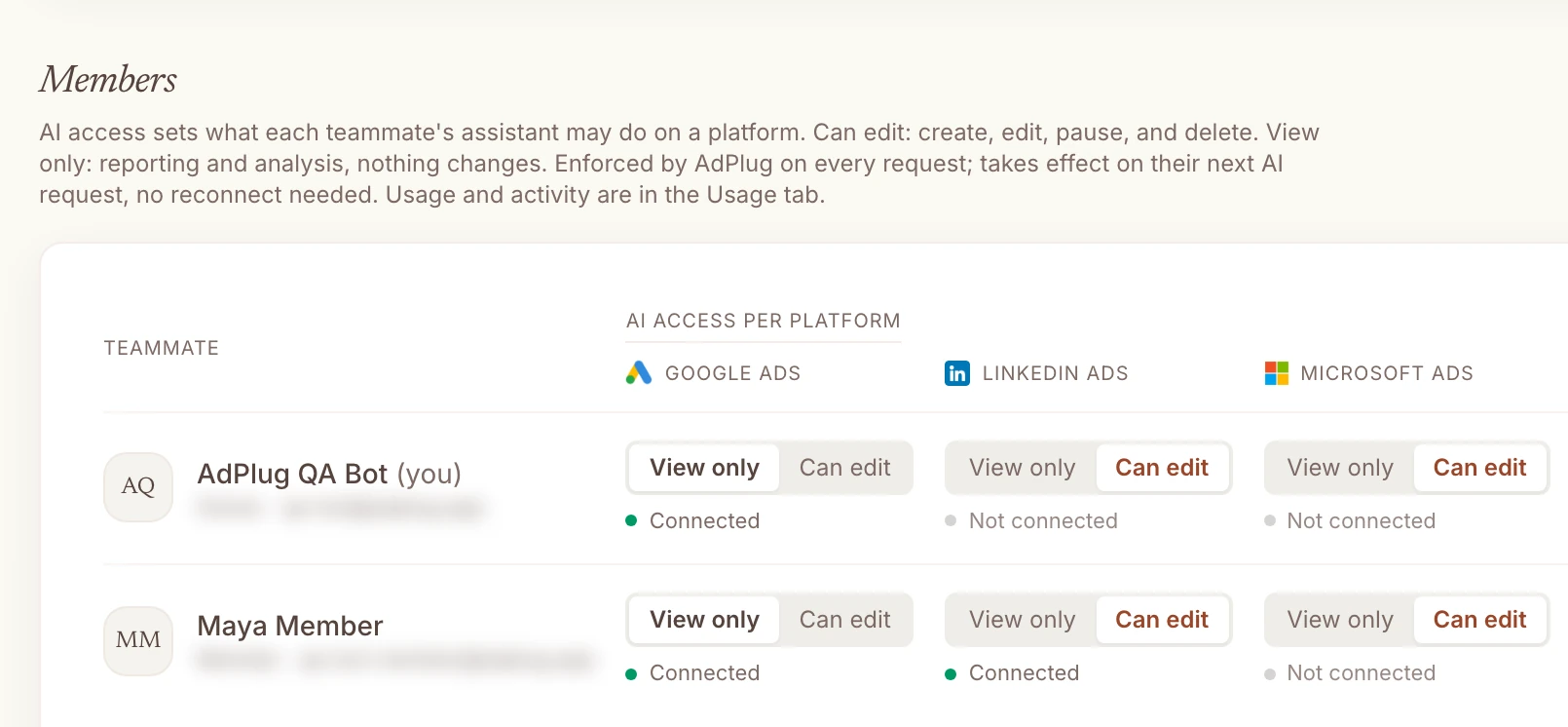
- Access for every user, platform by platform. Each teammate gets View only or Can edit on each platform. The junior can read every client and change none of them, the senior can edit Google Ads and only read LinkedIn, and AdPlug enforces it on every request. AdKit sets access by client, the same on every platform.
- Your clients' numbers stay theirs. AdPlug uses the data it reads to answer your requests. AdKit's terms let it fold connected accounts' metrics into its industry benchmarks, anonymously, which is worth a look against your client contracts.
AdKit pricing
AdKit has two plans and no free one. Single Project is $49 a month, or $29 a month billed yearly, for one brand and one ad account on each platform. Multiple Projects is $97 a month, or $49 a month billed yearly, for unlimited brands and ad accounts. Both include the ad library, the AI creative tools, the MCP server and unlimited team seats, and both start with a 7-day trial. Checked on its pricing page on 27 Oct 2026.
| Plan | Price | What you get |
|---|---|---|
| AdKit Single Project | $49/mo, or $29/mo billed yearly | One brand, one ad account per platform, ad library, AI creative tools, MCP, 7-day trial |
| AdKit Multiple Projects | $97/mo, or $49/mo billed yearly | Unlimited brands and ad accounts, everything in Single, 7-day trial |
| AdPlug Free | $0 | View only, one platform, unlimited ad accounts, 500 requests in the first 5 days, then 50 a month |
| AdPlug Pro | $29/mo | Every platform and HubSpot, unlimited ad accounts, 5,000 requests and 200 edits a month, 7-day trial |
| AdPlug Max | $89/mo | Unlimited ad accounts, requests and edits, three team members, five Google logins |
| AdPlug Agency | Custom, per seat | Everything in Max for the whole team, plus a signed DPA |
For one brand billed yearly, the two cost the same $29. Month to month, or with a second client, they part ways: AdKit is $49 for one account per platform and $97 for more, while AdPlug Pro stays at $29 for every account you have, and Max at $89 with no meter at all. AdKit says it's "2 to 5x cheaper than any (decent) alternative you can find". I suppose that depends on what you count as decent.
Two things I'd read before paying. AdKit's terms say nothing about refunds, only that you can cancel in one click. And they let AdKit "combine performance metrics from connected accounts into anonymous industry benchmarks", which it publishes as benchmarks "reported by advertisers on AdKit". AdPlug has a 14-day refund window, and the free plan never asks for a card.
AdKit alternatives, by the job you need done
The best alternative depends on why you looked at AdKit in the first place. I've compared the Google Ads connectors in more depth in my Google Ads MCP server comparison.
AdPlugMy pick
For PPC specialists, consultants and agencies who want Claude, ChatGPT or their own agents on every account they run, unlimited accounts on every plan, a server-checked preview before every Google Ads change, access set per teammate and platform, and HubSpot pipeline next to the ad data. Free to read, then Pro at $29 a month.
Pick it if you want the AI to do the legwork and you to make the calls. See how it works on Google Ads.
 Pipeboard
A hosted MCP server that started on Meta and now covers eight ad platforms, with unlimited commands on paid plans but a fee for every ad account: three on Pro at $29.90 a month, then $10 each. I've compared it with AdPlug in AdPlug vs Pipeboard.
Pick it if Snapchat or Pinterest is part of your mix and you run a handful of accounts.
 Markifact
A no-code marketing automation suite with workflows, agents and an MCP across 14 ad platforms, charged in credits from $79 a month. I've compared it with AdPlug in AdPlug vs Markifact.
Pick it if you'd rather build automations on a visual canvas than in a chat.
 Adspirer
A hosted connector for six ad platforms including Amazon and ChatGPT Ads, charged by the tool call: 15 a month free, then $49 a month for 150. I've compared it with AdPlug in AdPlug vs Adspirer.
Pick it if Amazon Ads is part of your mix.
 Ryze AI
An autonomous agent that runs your ads, and sells SEO and website work on the side, from $89 a month. I've compared it with AdPlug in AdPlug vs Ryze AI.
Pick it if you want to hand the account over rather than approve each change.
Switching from AdKit to AdPlug
It takes about ten minutes. Before you start, open AdKit's Drafts page and publish or delete anything waiting there, then check Google Ads' change history and Meta's activity log to see what was changed through AdKit. That's worth knowing whichever tool you pick next.
- If anything runs on AdKit's command-line tool, an API key or an n8n workflow, switch it off first, so nothing changes while you move.
- Revoke your AI connections and API keys under AdKit's Devices & Keys, and remove its connector from Claude, ChatGPT or wherever else you added it.
- Cancel your AdKit subscription. Then remove its access in Facebook's Business Integrations, in your Google account under Security, Third-party connections, and in each other ad platform's list of connected apps.
- Sign up for AdPlug and connect your ad platforms through each one's own sign-in screen. Every account behind that login comes with it, manager accounts included.
- Add AdPlug's address to your AI as a custom connector. The guides walk through it with screenshots for Claude, Grok Bot and ChatGPT dots.
- Start with a question you can check, like last month's spend by campaign. Once the numbers match the platform, move on to the real work.
Who should stay with AdKit
- You run ads for your own product, on one account per platform, and the ad library earns its keep.
- Competitor research and AI-made static ads matter more to you than Google Ads depth.
- X Ads or ChatGPT Ads is a real part of your spend.
- It's working, you've set it to Draft only, and its changes match your change history. Don't switch for the sake of it.
P.S. AdKit's homepage lists "Misclick and delete the wrong campaign" among the horrors of life without it. Fair. Then it ships with the AI allowed to publish by default. Call it twelve years of PPC paranoia, but I'd rather the safety catch came on.