Claude Duet for marketing: use cases and prompts for CMOs, PPC, B2B, SaaS and ecommerce
Quick answer: Claude Duet is Anthropic's agent that keeps working in the background, a US research preview on Claude Pro and Max since 21 October 2026. For marketing, it checks your connected apps every few hours, sends a morning brief on what needs you, and hands back finished reports and decks, with ad changes going through AdPlug's preview. CMOs can use it for spend against pipeline, fractional CMOs to see every client in one place, PPC specialists for the daily account check, and shops for blended return and the products that spend without selling. It reaches HubSpot, Shopify, Canva and Gmail through Claude's directory, and your ad accounts and Google Search Console through AdPlug.
The Duet facts here come from Anthropic's own pages and my own testing. The PPC jobs are ones I already hand to Claude every week, after 12 years and over $100M in ad spend on Google Ads and LinkedIn Ads. I also built AdPlug, the connector that plugs your ad accounts into Claude.

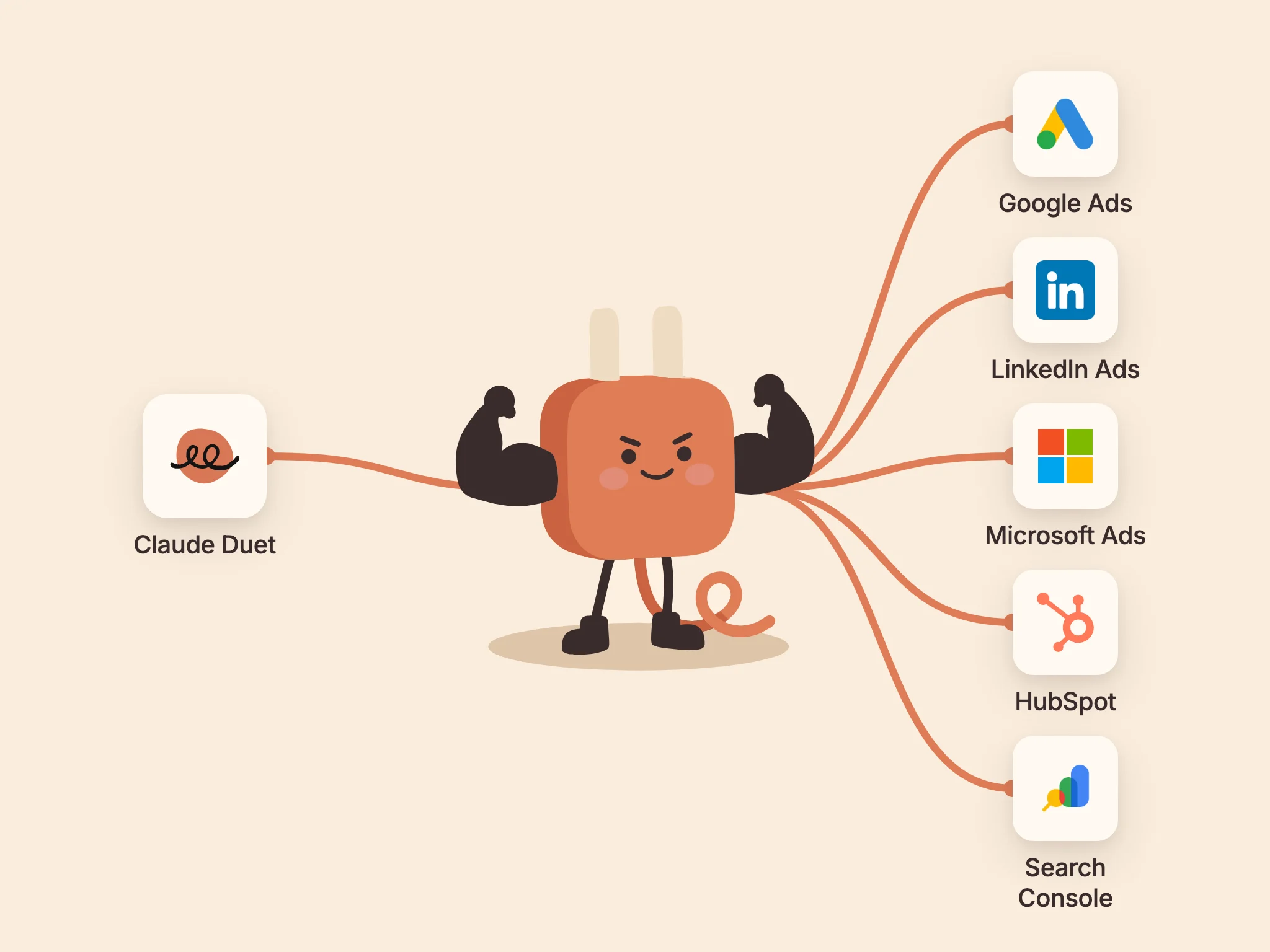
Claude Duet is Anthropic's agent that keeps working when you close the app. It checks your connected apps every few hours, sends you a brief each morning, and messages you when something needs a decision. That's a big chunk of any marketer's week: noticing what changed, then writing it up for someone who wasn't looking. This guide covers what to hand Claude Duet for marketing, by role and by business type, with the prompts, skills, playbooks and connectors behind each job.
What Claude Duet does for a marketer
Anthropic opened Claude Duet on 21 October 2026 as a research preview, by waitlist, for Claude Pro and Max subscribers in the US. Going by Anthropic's own pages, six things about it matter for marketing work:
- A morning brief. Each morning it sends a short brief on what matters most across your connected apps.
- Checks every few hours. It looks at your connected accounts at set intervals and messages you when something needs your attention.
- One thread, plus channels. You talk to it in one thread, by typing or sending a voice message, and you can open a channel per topic or per client. Every channel shares the same memory.
- Finished work. Alongside answers, it hands back docs, decks and dashboards.
- Your Claude account. It uses the memory, skills and connectors you already have in Claude, and it supports plugins.
- Approvals. Before it sends a message, makes a payment, signs a document or deletes anything, it shows you what it's about to do and waits for your OK.
Anthropic's own launch post uses marketing examples: follow-up emails drafted from HubSpot's contact and deal history, a product launch turned into a social campaign in Canva, and a Shopify store set up and run. Add your ad accounts and search data, and Claude Duet can take on the part of marketing that eats the most hours: reading the numbers and writing them up. For me it was the same questions every week, forever, and none of it the job I'm paid to do.
Set it up once: connectors, skills and memory
Like any new hire, Claude Duet is only as useful as the logins and the briefing you give it. Three things decide that, and you set each one up in Claude once. Duet uses them from its first message.
Connectors: the data
HubSpot, Shopify, Canva, Gmail, Drive and Slack all have connectors in Claude's directory. There's no Google Ads, LinkedIn Ads, Microsoft Ads or Google Search Console connector there from the platforms themselves. AdPlug fills that gap with one connector per platform: Google Ads, LinkedIn Ads, Microsoft Ads, Reddit Ads, Google Search Console and the HubSpot MCP, plus one connector that carries all the ad platforms together. Each takes about two minutes to add in Claude.
Skills and plugins: the know-how
A skill is a saved set of instructions Claude loads when the job comes up: your report format, your brand voice, your audit checklist. A plugin bundles skills with the connectors they need. Claude Duet supports plugins and uses the skills on your Claude account. The skills section below lists the ones worth adding for marketing.
Memory: your numbers
Claude Duet carries your Claude memory, so you can tell it your targets once instead of in every prompt. After that, every report is judged against your numbers rather than an industry average:
Ask me for our targets, like cost per lead, cost per opportunity and break-even ROAS, and use them in every report and alert from now on.
One more rule for day one. “Revenue” is a different number in Shopify, HubSpot, Google Ads and your analytics, because each one counts it differently: attribution windows, dates, refunds in or out (four tools, four revenue numbers, one awkward meeting). So make Duet show its working:
In every report, say where each number comes from, the date range, the time zone and the attribution window.
What Claude Duet does on its own, and what waits for you
Before you let Claude Duet near an ad account, you'll want to know what it does without asking. Here's the straight answer:
| Job | Duet does it on its own | Waits for your OK |
|---|---|---|
| Reading reports, checking accounts, spotting problems | Yes, in the morning brief and every few hours | No |
| Drafting reports, decks, emails and ad copy | Yes, it hands back finished work | Sending them: Duet asks before any message goes out |
| Changing campaigns: negatives, bids, budgets, pausing, new campaigns | No | Yes: AdPlug previews the exact change, and on Google Ads nothing runs without that preview |
| Paying, signing, deleting | No | Yes, Duet always asks |
Claude Duet's own approvals cover messages, payments, signatures and deletions. For ad changes, the guard comes from the connector. AdPlug splits every change into two steps, a preview and an execute, and on Google Ads the second step won't run without the first. You can also set the change tools to Needs approval or Blocked in Claude's connector settings. Every report and every change lands in AdPlug's audit log, so you can see what Duet got up to overnight.
With AdPlug, Claude shows me what it's about to change before it does it, which is the part that lets me sleep. Give Duet the same rule in its thread:
Never change anything in my ad accounts without showing me AdPlug's preview first and waiting for my OK.
Claude Duet use cases for marketing, by role
Claude Duet use cases change with the role, and so do the connectors behind them. Here's the short version, then each role in turn.
| Role | What to hand Duet | Connectors it needs |
|---|---|---|
| CMOs | The Monday one-pager, spend against pipeline, the board deck, keeping an eye on the agency | AdPlug's ad connectors, HubSpot |
| Fractional CMOs | Which client needs you first, new-client audits, monthly client decks | AdPlug's ad connectors, AdPlug's HubSpot MCP for your clients' portals |
| In-house and digital marketers | The weekly cross-channel report, paid next to organic, pre-launch checks, fresh creative | AdPlug's ad and Search Console connectors, Canva |
| PPC specialists and agencies | The morning health check, search terms into negatives, client reports, pre-call briefs | Google Ads, LinkedIn Ads, Microsoft Ads and Meta Ads through AdPlug, Google Calendar |
| Founders running their own ads | Ad spend next to sales, billing and policy emails, whether the ads pay for themselves | Google Ads through AdPlug, Gmail, Shopify or QuickBooks |
For CMOs
A CMO doesn't need the clicks. They need to know what the spend bought in pipeline, early enough to do something about it. With AdPlug's ad connectors and HubSpot connected, Claude Duet can put spend and pipeline on one page every Monday:
Every Monday, send me a one-page summary of paid media: spend, pipeline and cost per opportunity by channel, month to date against plan, the biggest win, the biggest risk, and what I need to decide.
When you weigh one channel against another, use the quarter, not the week. B2B deals take a lot longer than a week to close:
Every Monday, put this quarter's spend on Google Ads, LinkedIn Ads and Microsoft Ads next to the HubSpot pipeline and deals each channel brought in, and tell me where the next dollar works hardest.
HubSpot's original source puts Google and Microsoft both under paid search, so check its drill-down or tag each platform's links with UTMs if you want them apart. If an agency runs your accounts, Claude Duet can also read the change history in Google Ads, Microsoft Ads and Reddit Ads (LinkedIn's API doesn't share one, so LinkedIn sits this one out). That answers a question most CMOs can't easily get answered:
What did our agency change in Google Ads, Microsoft Ads and Reddit Ads last week, and has any of it moved results yet?
And at the start of each month, the deck you take into the board meeting:
At the start of each month, build a board-ready slide deck on last month's paid media: spend, pipeline and cost per opportunity by channel against the month before, what worked, what didn't, and what we change next.
Skills for this in the AdPlug Marketing plugin: Spend to pipeline, Weekly performance report and Client report.
Playbooks to start with: Ad spend against pipeline and revenue, Quarterly channel ROI and Cross-platform weekly digest.
For fractional CMOs
A fractional CMO runs marketing for several companies at once, usually alone. Claude Duet fits that shape well: one person's account, a channel per client, and a brief that tells you where to spend your morning. Two things make it work across clients:
- One AdPlug connection per platform reaches every ad account your sign-in can see, so all your clients' Google Ads, LinkedIn Ads and Microsoft Ads accounts sit in the same connector. Every AdPlug plan includes unlimited ad accounts.
- AdPlug's HubSpot MCP reaches your clients' HubSpot portals from one connection: up to 3 portals on AdPlug's Pro plan and 10 on Max and Agency. HubSpot's own Claude connector works with one HubSpot account at a time, per HubSpot's help article. That's fine for an in-house team and slow going across several clients.
Every Monday, check each client's ad accounts and HubSpot, and tell me which client needs me first this week, and why.
When a new client signs, the first-week audit:
For this new client, audit their Google Ads, LinkedIn Ads and HubSpot: what's tracked, what's wasted, and what to fix first. Build it as a deck I can present.
And before each monthly meeting:
Before each client's monthly meeting, build a short deck on their paid media and the pipeline in their HubSpot, with what we recommend next.
Skills for this in the AdPlug Marketing plugin: Account audit, Spend to pipeline and Client report.
Playbooks to start with: Weekly summary across client portals, Senior Google Ads audit and Is HubSpot tracking your ad leads?.
For in-house and digital marketers
In-house, every Monday brings the same three questions: what happened, why, and where should the money go next? Every Monday I type one sentence into Claude, cost per lead by job seniority over the last 90 days, and have the answer in seconds. Here's the version to give Claude Duet:
Every Monday morning, send me last week's results across Google Ads, LinkedIn Ads and Microsoft Ads against the week before: what changed, why, and where budget should move.
If you look after SEO too, AdPlug's Search Console connector puts organic search next to paid in the same thread:
Where are we paying for clicks on searches we already rank at the top for organically, and what would we likely lose if we cut them?
Before a launch, the dull checks are the ones that save the most embarrassment. Claude Duet can open pages in its own browser, so it can do them for you:
Before we launch the new campaigns, open every final URL with the account's tracking added, and flag any page that doesn't load or loses the tracking.
And when your creative starts to wear out, have Duet turn what's working into new drafts with Canva's connector:
Take last month's LinkedIn Ads creatives with the lowest cost per lead and draft fresh variations in Canva for us to test.
Skills for this in the AdPlug Marketing plugin: Weekly performance report, Paid vs organic and Launch check.
Playbooks to start with: Weekly Google Ads performance recap, Paid vs organic overlap and Why organic traffic dropped.
For PPC specialists and agencies
This is where Claude Duet earns its keep. The five-minute check on every account each morning, the search terms on Monday (the ones we've all been meaning to get to since March), the client report at month end: all of it is reading data, spotting the odd thing and writing it up.
I built AdPlug for my own daily checks before anyone else used it, and they're this kind of work: read the search terms, add the negatives, flag who's underspending by Friday. Put the health check in the brief, so it's waiting before you open a laptop:
In my morning brief, include a health check on every ad account I manage: spend, clicks and conversions against normal, campaigns that stopped spending or converting, tracking that went quiet, disapproved ads, and ads pointing at pages that 404. Flag only what needs me.
The latest day's conversions are still coming in, so tell Duet to treat a small dip as lag, not a crisis. Then the weekly jobs:
Every Monday, find the search terms on Google Ads and the search queries on Microsoft Ads that spend without converting, and suggest negatives. Don't add them yet.
Every morning, tell me which client accounts are on course to overspend or underspend this month, and preview the budget changes you'd make.
In this client's channel, build a client-ready PDF report on last month across their ad accounts: a short summary, results against the month before, the insights behind them, and what we change next.
With Google Calendar connected next to the ad accounts, Duet can brief you before each call:
Before each client call in my calendar, send me a short brief on that client's ad accounts: what changed since our last call, what's at risk, and what I should propose.
And the check every account manager should run before the client does it for them:
Go through this client's accounts and find anything I'd be embarrassed for them to spot before me.
One catch for agencies: Claude Duet isn't on Claude Team plans yet, so for now it runs on one person's Pro or Max account. More on running AdPlug across clients on the agencies page.
Skills for this in the AdPlug Marketing plugin: Ad account health check, Search terms into negatives, Budget pacing and Client report.
Playbooks to start with: Wasted-spend search terms into negatives, Negative-keyword conflict checker and Senior LinkedIn Ads audit.
For founders running their own ads
Founders don't want a dashboard. They want to know, before the day starts, whether the ads are making money and whether anything's broken. The ad-platform emails that matter are about billing, suspensions and policy, and fake suspension emails do the rounds. So have Claude Duet check each one against the real account:
Each morning, check my inbox for emails from Google Ads, LinkedIn Ads or Microsoft Advertising about billing, suspensions or policy, confirm each one in the ad account, and tell me what needs action.
At the start of each month, put last month's total ad spend next to revenue in QuickBooks and tell me if the ads are paying for themselves.
Skills for this in the AdPlug Marketing plugin: Ad account health check and Weekly performance report.
Running a shop? The ecommerce section has the Shopify versions.
Claude Duet use cases by business type
Claude Duet use cases also change with the business, because the number that matters changes: pipeline in B2B, paying customers in SaaS, and profit on each order in a shop.
| Business | The number that matters | Connectors |
|---|---|---|
| B2B lead generation | Cost per opportunity and pipeline per dollar, not cost per lead | Google Ads, LinkedIn Ads, Microsoft Ads and the HubSpot MCP through AdPlug |
| B2B SaaS | Cost per paying customer, from trial or demo to closed deal | The same, plus Reddit Ads for technical audiences |
| Ecommerce | Blended return on total spend and margin after costs, not platform ROAS alone | Shopify's connector, plus Google Ads, Meta Ads and Microsoft Ads through AdPlug |
B2B lead generation
In B2B the cheapest lead is often the worst one. What you want to know is which platform, campaign and audience brings leads that sales turns into opportunities, and that answer lives in HubSpot, not in the ad platforms. With the HubSpot MCP next to the ad connectors, Claude Duet can join the two:
Which ad platform brings leads that become opportunities in HubSpot, not just the cheapest leads, and what does each opportunity cost?
Of the leads LinkedIn Ads sent to HubSpot last quarter, which job titles and seniorities became opportunities, and which only filled in the form? Compare that with who LinkedIn says we're paying to reach.
Which paid leads from last week has nobody followed up on in HubSpot? List them with the campaign they came from and who owns them.
These answers depend on HubSpot knowing where each lead came from, through UTM tags on your ad links or your ad accounts connected in HubSpot. Keyword-level answers need HubSpot's auto-tracking or a keyword UTM, and the job-title question needs the job title on the HubSpot contact, from your form or LinkedIn's lead sync. Not sure it's all there? Ask Duet to check the tracking before you trust the answers.
LinkedIn's own reports show who saw and clicked your ads, never which lead became an opportunity, so the join with HubSpot is the whole point. Microsoft Ads' LinkedIn profile targeting is worth a look here too: it reports by company, industry and job function on search.
Skills for this in the AdPlug Marketing plugin: Spend to pipeline and Launch check.
Playbooks to start with: Which ad platform brings the best leads, Paid leads nobody has followed up and Keywords that created pipeline.
B2B SaaS
B2B SaaS adds two twists. The conversion you optimise for (a trial or a demo) isn't the one that pays you, and your brand and competitor terms decide a big share of what search costs.
Which campaigns bring demo requests or trials that become paying customers in HubSpot, and what does each one cost us per customer?
How much are we spending on our own brand terms across Google Ads and Microsoft Ads, and where are we losing impression share on them?
Which Google Ads search terms mention competitors, and do any of them convert?
If your buyers are developers or other technical people, Reddit Ads reaches them in the communities they already read, and the community report shows which subreddits pay their way:
Which Reddit communities and keywords bring sign-ups at our target cost, and which only bring clicks?
Counting sign-ups needs the Reddit Pixel or Conversions API in place, and the trial-to-customer question needs your trial sign-ups to reach HubSpot.
Skills for this in the AdPlug Marketing plugin: Spend to pipeline, Search terms into negatives and Paid vs organic.
Playbooks to start with: Win rate by lead source, First touch against last touch and Keyword planner deep-dive.
Ecommerce: Shopify, Google Shopping and Performance Max
For a shop, the trap is trusting each platform's own ROAS. Each ad platform will happily claim the same sale, and none of them knows your margin. Shopify knows what you sold, and the ad platforms know what you spent. Shopify's own connector for Claude reads sales, products and inventory, and AdPlug brings in the ad side, down to each product in Shopping and Performance Max. Give Claude Duet both, and start the day like this:
In my morning brief, put yesterday's Google Ads spend and conversions next to my Shopify orders, and flag anything that needs me: a campaign that stopped converting, a disapproved ad, or a product page that 404s.
Google Ads counts some of yesterday's conversions later than Shopify counts the orders, so a small gap the next morning is normal. Each Monday, the blended view:
Every Monday, put last week's Shopify sales next to total ad spend across Google Ads, Meta Ads and Microsoft Ads, show the blended return next to each platform's own ROAS, and tell me what moved it.
Then two quiet leaks that cost shops money:
Which products in Shopping and Performance Max have spent over the last month without a sale, and what should we exclude? Show me the preview first.
Every Monday, find products Google Ads is spending on that are out of stock or running low in Shopify, and suggest what to exclude or hold back. Don't change anything yet.
When the numbers drop, have Duet work through the usual suspects in order, tracking first, because a broken tag looks exactly like a bad week:
Our ROAS dropped this week. Work out why: tracking or real sales, which campaigns and products, rising costs per click, fewer new buyers in Shopify, or a promotion or stock-out.
Before a big sale, the readiness check:
Before Black Friday, check we're ready: budgets that would run out early, best sellers running low in Shopify, and ad promotions that don't match the site. Preview any budget changes for me.
And after every sale, while it's fresh:
When our sale ends, build a debrief deck: what we spent, what sold, the margin after discounts where Shopify has our costs, and what we'd change next time.
Margin needs your product costs. If Duet can't read them from Shopify, give it your margins once and it'll remember them. Without them it can only tell you revenue after discounts, which is how a campaign shows a healthy ROAS and still loses money.
Skills for this in the AdPlug Marketing plugin: Shopping product waste, Ad account health check and Weekly performance report.
Playbooks to start with: PMax placement and brand exclusions, PMax creative refresh and Wasted-spend search terms into negatives.
Morning brief prompts for marketers
The morning brief is Claude Duet's version of Grok Bot's routines and the scheduled tasks in OpenAI's Dots. Tell it once, in plain words, what belongs in it:
Every morning, send me one brief on what needs me today: campaigns that stopped spending, converting or tracking, disapproved ads, broken landing pages, and anything in my inbox and calendar, in order of what costs the most if I ignore it.
Four things make the brief better:
- Say what normal is. “Against the same day last week” beats a guess, and the latest day's conversions are still arriving.
- Ask it to flag, not to report. “Flag only what needs me” keeps it short enough to read on your phone.
- Let your targets decide. With your targets in memory, “needs me” means off target, not just different.
- Ask in the thread if it skips something. In Every's review, Duet's scheduled runs couldn't reach custom connectors, and custom connectors are how your ad accounts get in. If the brief turns up without your ads while Duet is in preview, ask for them in the thread.
The AdPlug Marketing plugin: ready-made skills for your ad accounts
Prompts are a good start, but you retype them every time (or dig them out of last week's chat), and the answer can come back in a different shape each week. A skill is a saved set of instructions Claude loads when the job comes up, so the morning check runs the same checks in the same order, and this month's client report has the same sections as last month's.
A plugin bundles skills with the connectors they need. Anthropic's Duet help article says Claude Duet supports plugins, and this one installs on your Claude account, so it's there in Duet with the rest of your skills.
The AdPlug Marketing plugin is AdPlug's own: skills for the jobs you keep coming back to in your ad accounts, from the morning check to the client report. They follow the way I work on the accounts I manage: what I look at, and in what order.
It comes with AdPlug Ads, one connector for Google Ads, LinkedIn Ads, Microsoft Ads and Reddit Ads, plus two optional ones: AdPlug HubSpot for the pipeline skill and AdPlug Search Console for paid vs organic. Every skill tells Claude to show you each change, wait for your yes and create anything new paused (as a draft on LinkedIn Ads). On Google Ads, AdPlug itself won't run a change without its preview. On LinkedIn Ads, Microsoft Ads and Reddit Ads, that's down to Claude following the skill.
Download the AdPlug Marketing plugin (a free zip, MIT licence). Then:
- Open Customize > Plugins > Add > Upload plugin in Claude and choose the zip.
- Connect AdPlug Ads on the plugin's Connectors tab and sign in to AdPlug. Connect AdPlug HubSpot and AdPlug Search Console the same way if you want the skills that use them.
- Ask for the job in plain words (“run my morning check”, “build last month's client report”) and Claude loads the skill that fits. A plugin on your Claude account syncs to Claude Code too.
You'll need an AdPlug account with your ad accounts connected. The free plan is view only, on one ad platform: Claude can read your accounts and preview changes, but not apply them. Making changes, and HubSpot, need a paid plan.
The jobs it covers:
- Ad account health check: the morning check on every connected account, flagging only what needs you: spend or conversions off normal, campaigns that stopped, tracking that went quiet, disapprovals, broken landing pages and settings changed after launch.
- Weekly performance report: last week against the week before on every platform you've connected: what changed, why, and where the budget should move, short enough to read on a Monday morning.
- Client report: the monthly report for one client, against their targets, as a PDF or slide deck you can send without rewriting it.
- Search terms into negatives: Google Ads and Microsoft Ads search terms sorted by intent, with negatives proposed by match type and level for you to approve. It won't propose blocking a brand term or anything that converted.
- Account audit: the day-one audit of a new or inherited account (Google Ads first, plus LinkedIn Ads and Microsoft Ads when they're connected), with quick wins split from longer fixes, as a deck or PDF you can present.
- Budget pacing: month-to-date spend against budget for each account and campaign, where the month will land and why, and the daily budgets that would fix it, as previews.
- Launch check: a new campaign checked against the plan before it goes live and again once it's running: final URLs and their tracking, settings, approvals, and nothing live by accident.
- Spend to pipeline: ad spend by channel next to HubSpot pipeline and revenue: cost per opportunity, lead quality by platform, and the paid leads nobody followed up. It checks your tracking first.
- Shopping product waste: Shopping and Performance Max products that spend without selling, with stock checked through Shopify's connector if you have it, and blended return next to platform ROAS.
- Paid vs organic: where you pay for clicks on searches where you already rank in the organic top three, which pages are losing organic clicks, and a range for what cutting paid could cost you.
- Ads generator: responsive search ads and sitelinks for every active Search ad group in Google Ads, plus callouts and structured snippets for each campaign, written from the keywords and landing pages, as a spreadsheet you review before anything is uploaded. Microsoft Ads gets its own version.
Already added AdPlug's per-platform connectors, like “AdPlug - Google Ads”? Then you'll see the same tools twice. Both sets work the same way, so keep whichever you prefer.
Worth adding next to it
- Brand Voice plugin. Builds brand guidelines from your own documents and conversations, then checks Claude's drafts against them, so ad copy and emails stay on brand.
- Small Business plugin (Anthropic). Anthropic's Duet help names it as a plugin Duet supports. Its Marketing Monday workflow covers what's working, what customers are saying and what competitors changed.
- Your own report skill. Ask Claude to save your client report format as a skill, and the reports Duet builds after that follow the same shape.
Rather paste a prompt than install a plugin? AdPlug's playbooks are plain prompts, one job each, and they paste into Duet as they are.
The connectors behind it
Claude Duet uses the connectors on your Claude account. Anthropic's safety page says the apps you've connected to Claude carry over, and switching one off in one place switches it off in both. Here's what each job above needs:
| Connector | What Duet gets | Where it comes from |
|---|---|---|
| Google Ads, LinkedIn Ads, Microsoft Ads and Meta Ads | Reports, search terms, products, audiences, change history, and changes you preview first | AdPlug, added in Claude as a custom connector |
| Reddit Ads | Community and keyword reports, and previewed changes | AdPlug |
| Google Search Console | Organic queries, pages, indexing, and paid next to organic | AdPlug |
| HubSpot | Contacts, deals, pipeline and where each lead came from | AdPlug's HubSpot MCP for several portals, or HubSpot's own connector for one |
| Shopify | Sales, products, inventory and orders | Shopify's connector in Claude's directory |
| Gmail, Google Calendar, Google Drive | Your inbox, your day, and somewhere to save reports | Claude's directory, and Anthropic names all three for Duet |
| Canva | New designs and drafts | Claude's directory |
| Slack | Messages and channels, with limits in Duet | Claude's directory |
| QuickBooks | Revenue and the books | Claude's directory, and Anthropic names it for Duet |
Each AdPlug connector has a step-by-step guide:
- Google Ads to Claude Duet
- LinkedIn Ads to Claude Duet
- Microsoft Ads to Claude Duet
- Meta Ads to Claude Duet
- HubSpot to Claude
- Google Search Console to Claude
What Duet can't do yet
- Leave the US. The preview is US only, and Anthropic hasn't said when other countries follow.
- Run on a team plan. It's Pro and Max only, so agencies on Claude Team or Enterprise have to wait.
- Reach Microsoft 365. Outlook, Teams and the Office apps aren't available yet, and Slack works with limits. Microsoft Advertising is a different Microsoft product, and it works through AdPlug.
- Catch everything the moment it happens. It checks every few hours, so keep budgets, spend caps and automated rules in the platforms.
- Let you watch its browser. For apps without a connector it uses its own cloud browser, and you can't see or take over that session.
- Run for free. Background checks count toward your Claude plan's limits, the five-hour and weekly ones included. Each check that calls AdPlug also counts toward your AdPlug requests, so a daily brief needs a paid AdPlug plan.
Comparing agents rather than choosing a use case? See Claude Duet vs OpenAI Dots, Grok Bot and Meta Muse.