AdPlug vs Markifact: a Markifact alternative for PPC specialists and agencies
Quick answer: AdPlug is for PPC specialists, consultants and agencies who want AI to speed up the work and keep control of every account: it plugs Google Ads, Meta Ads, LinkedIn Ads, Microsoft Ads, Reddit Ads and TikTok Ads into Claude, ChatGPT or any AI agent, checks every Google Ads change in a preview on its own server, and works on unlimited ad accounts on every plan, starting free. Markifact is a no-code marketing automation suite built for marketers in general, and it costs a lot more: Pro is $79 a month for 2,500 credits, where AdPlug's $29 Pro covers 5,000 requests. AdPlug (adplug.app) is my product, so weigh that.
Twelve years of running B2B Google Ads and LinkedIn Ads, with over $100M of spend through my hands, taught me to read the small print before I connect anything to a client's account. So for this page I went through Markifact's pricing, docs, changelog, terms and GitHub repo, archived copies of its pricing page, and every public review I could find. AdPlug is my product, and I use it daily on my own accounts and my agency's clients.

AdPlug vs Markifact: who should pick which
Both put your ad accounts in Claude and ChatGPT, and both can change campaigns as well as read them. The difference is what you're buying, and who it's built for.
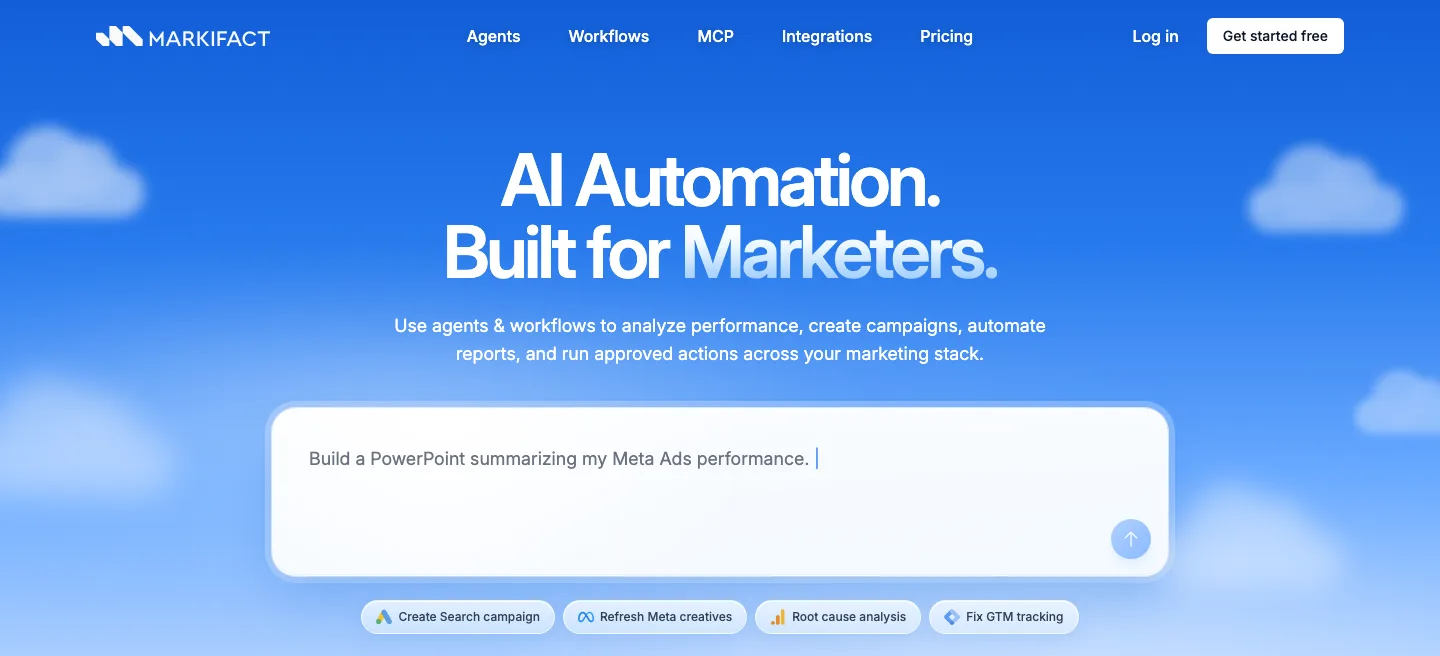
Markifact is a marketing automation suite: no-code workflows, its own agents, and an MCP connector on top, all paid for in credits. Its homepage says "AI Automation. Built for Marketers.", and its GitHub page promises to turn "any AI client into a senior performance marketer". To founders running their own ads, it puts it more bluntly: "You don't need a media buyer."
AdPlug is built for the media buyer: PPC specialists, consultants and agencies who know what good looks like and want AI to do the legwork. It plugs your accounts into the AI you already use, every call stays yours, and it costs a lot less.
 Pick AdPlug if
- You run PPC for a living, in-house, freelance or at an agency, and want AI to do the legwork while you make the calls
- You'd rather pay less for more: AdPlug Pro is $29 a month for 5,000 requests, where Markifact's Pro is $79 for 2,500 credits and one seat
- You want every Google Ads change checked in a preview on the server before it runs, not left to your AI's settings
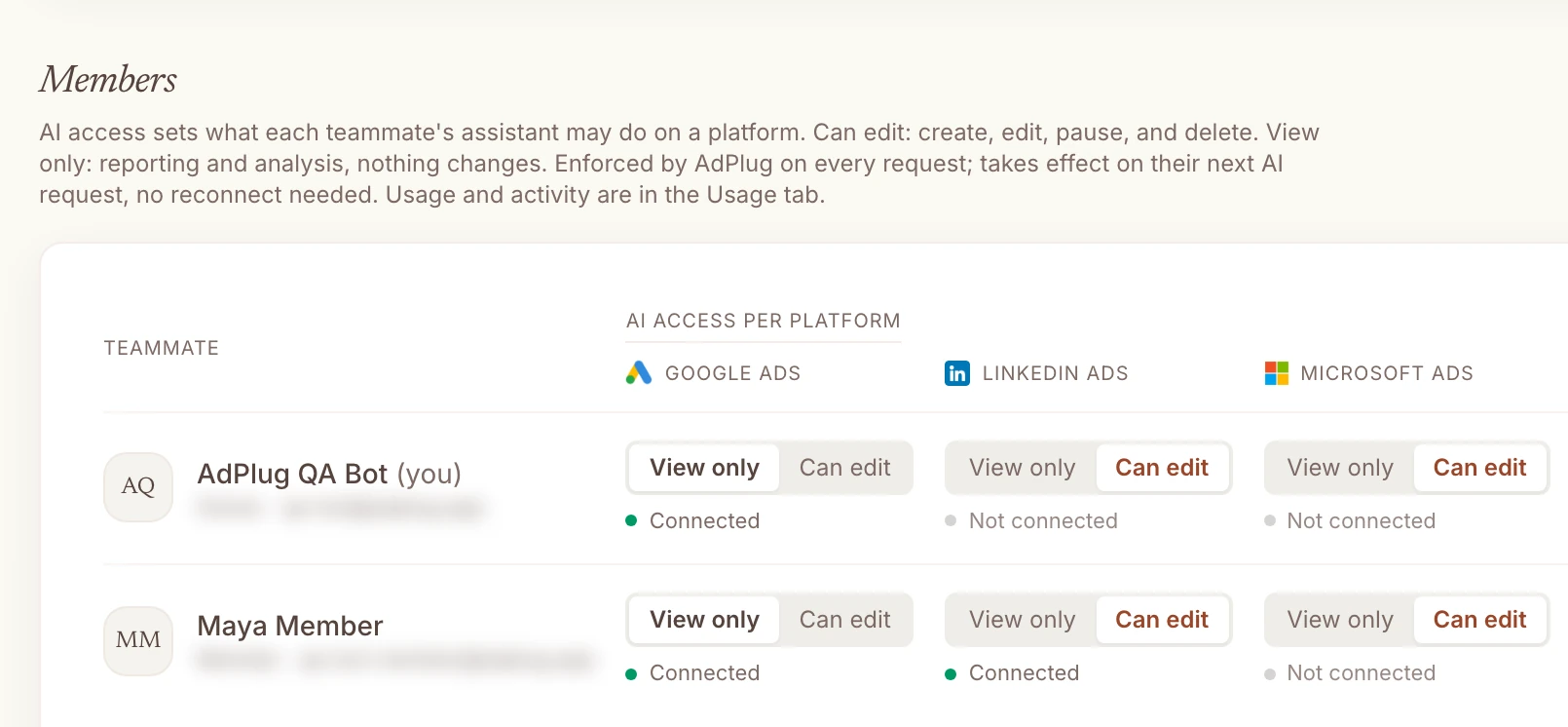
- You manage a team: View only or Can edit for each person on each platform, and Max gives three people unlimited use for $89
- You like a refund window: AdPlug gives you 14 days, where Markifact's terms have a strict no-refund policy
- You report on pipeline: Google Ads and HubSpot in the same chat, with every client's portal behind one connector
- You'd rather trust a tool built by a PPC specialist who uses it every day, on his own accounts and his agency's clients
 Pick Markifact if
- You like to see every step of an automation laid out on a visual canvas
- Snapchat, Pinterest, Amazon, Spotify or DV360 is part of your mix
- You're a founder without a media buyer and want agents to do the work for you
- You don't mind paying $79 a month for 2,500 credits when $29 buys 5,000 requests (it's your money)
And if all you're after is a client dashboard, you don't need to pay either of them for it. AdPlug's free plan reads your accounts, and Claude or ChatGPT builds the dashboard from what it reads, laid out the way you want.
The real difference: what "approval" means
Markifact says every change waits for you. If you manage other people's money, check where that wait happens, because Markifact's own pages don't agree.
How Markifact makes changes
On its marketing pages the answer is simple: "Every write operation requires explicit user approval before it executes." One of its blog posts goes further and describes "an approval queue that is independent of the MCP client".
Its docs tell a different story. In the table that compares its workflows, agents and MCP, the approval model for MCP reads "Client-controlled (approve writes per your client's settings)", and approval before writes "Depends on your client's tool settings". Its MCP page says the AI client "is instructed to describe exactly what will change and ask for your confirmation first", and the security policy in its GitHub repo says the write protocol "is enforced by the agent prompt". Its integrations page, for its part, says every write comes "always with an optional approval step".
I couldn't find a docs page that describes a hold on Markifact's own server for a change coming from Claude or ChatGPT. So there, the yes happens in the conversation, and Markifact's docs ask you to keep its write tool on Needs approval: "Do not set run_write_operation to ‘Always allow.’" Good advice. It also tells you whose job the setting is.
Inside Markifact's own app it depends on how you set it up. Its agents have three approval modes, and one of them is "Full access: auto-approve write operations without asking, for trusted use cases", which works on scheduled tasks too. The approval model its docs give for workflows is "Runs automatically once triggered", and templates such as Pause Overspending Meta Ads Campaigns do just that on a schedule.
The terms are clear about whose problem a wrong number is. An approval prompt "is your final opportunity to review before execution; once you approve, the change is made and any resulting spend is your responsibility." And Markifact is "not liable for losses caused by incorrect unit entry".
How AdPlug makes changes
AdPlug has no agents or workflows of its own, on purpose. Claude or ChatGPT does the thinking, and AdPlug is the plug socket between it and your accounts. On Google Ads a change takes two separate tool calls, and the server won't run the second without the first.
- You ask: "Find the search terms that convert but aren't keywords yet, and add the best ones."
- The AI reads the search terms report and works out which terms deserve a keyword of their own.
- It calls AdPlug's preview tool. The server checks the change and stores it exactly as it will run, under an ID: which keywords, which match type, which ad groups. Nothing has changed in Google Ads yet.
- You read it. Wrong ad group, wrong match type? Say so, and it never runs.
- Only after your yes can the execute tool run, and only on that stored preview. It runs once and expires after 15 minutes, so last week's yes can't turn into this week's change.
- AdPlug logs the call, and the change shows in Google Ads' own change history.

 Claude
Find the search terms that convert but aren't keywords yet, and add the best ones as exact match.
google_ads_preview_mutationAdPlug - Google AdsPreview · Acme Software · add 3 exact match keywords
| Keyword | Match type | Ad group | Conversions, 30 days |
|---|---|---|---|
| crm for consultants | Exact | Generic · CRM | 11 |
| simple crm for agencies | Exact | Generic · CRM | 8 |
| crm with email tracking | Exact | Features | 6 |
These three search terms brought 25 conversions in the last 30 days through broader keywords, at well under your average cost per conversion. As exact match keywords you can bid on them directly. Nothing changes until you say so. Shall I add all three?
Add them.
google_ads_execute_mutationAdPlug - Google AdsDone. Three exact match keywords added, and Google Ads' change history shows them.
The AI can't skip that step, because the rule lives on AdPlug's server, not in a prompt or a client setting someone can change. HubSpot and Search Console changes work the same way. On the other ad platforms the preview tool is there too, but it isn't forced yet, so ask for it in your prompt. And AdPlug has no scheduler of its own, so nothing runs unless you, or a task you set up in your AI, start it.
Both approaches stop most accidents. Where they differ is the bad day: a long session, a vague prompt, an AI that's sure it already asked. On that day I want the check in the server, not in the model's memory. If a client or a finance director reads your change history, I suspect you do too.
Look at the search terms in this Google Ads account. Find the ones that convert but aren't keywords yet, suggest which to add, with the match type and ad group for each, and show me the preview. Don't change anything until I say so.
What Markifact users say in their reviews
I built a rival, so don't take Markifact's faults from me. Here's what its users say, read on 25 Oct 2026. There isn't much of it.
| Where | Rating | Reviews |
|---|---|---|
| G2 | 4.5 out of 5 | 5, four of them incentivised |
| There's An AI For That | 4.5 out of 5 | 4 ratings, 1 with words |
| SaaSHub | 5 out of 5 | 1, written by Markifact |
| Trustpilot | No profile | 0 |
| Capterra | None yet | 0 |
| Product Hunt | None yet | 0 |
Nobody has given Markifact fewer than 3.5 stars anywhere, which sounds better than it is: almost nobody has reviewed it at all, and four of its five G2 reviews carry G2's Incentivized badge, which means a small reward was offered for writing them. Three of those went up on the same day. Treat each voice below as a signal, not a verdict.
What users complain about
Credits to keep an eye on. The meter is the first thing a careful reviewer mentions.
“The credit-based system also means that users need to keep an eye on their usage to prevent exceeding their limits.”
Alerts that didn't fire. This reviewer uses Markifact for a wireless carrier's projects rather than ads, so weigh it accordingly.
“the platform's conditional notification logic can be unreliable, causing some escalation alerts to not trigger as expected.”
Basic reports, missing connectors. Even a five-star reviewer wanted more.
“it would be even better if it offered deeper customization options in reports and more native integrations with smaller niche marketing platforms.”
Nobody publicly reports failed writes, wrong numbers or billing trouble. Nobody complained in public about four price rises either, which says more about how few people write reviews than about the prices.
What users like
The praise is real, and the one G2 review that wasn't incentivised is the warmest.
“It covers everything end-to-end, from launching campaigns to editing ads and searching keywords.”
“Markifact is a recent one, saw it on LinkedIn and for reporting and doing some other things works great.”
If you do try it, check its work the way you'd check a new hire's: Google Ads' change history for what changed, and your own conversion columns for what it reports. That goes for any tool, mine included.
AdPlug vs Markifact, side by side
Checked on each company's own pages on 25 Oct 2026. Edge marks the side that wins a row, only where that's a plain fact rather than my opinion.
| Compared | AdPlug | Markifact |
|---|---|---|
| Where it works | ||
| Platforms | AdPlugGoogle Ads, Meta Ads, LinkedIn Ads, Microsoft Ads, Reddit Ads and TikTok Ads, plus Google Search Console and HubSpot on connectors of their own. | Markifact14 ad platforms, all read and write except Apple Ads: Meta, Google, TikTok, Microsoft, LinkedIn, Reddit, Snapchat, Pinterest, Amazon, Spotify, X, DV360, ChatGPT's ads and Apple Ads. 33 other tools, from GA4 and HubSpot to Slack. |
| Google Ads tools | AdPlug17 tools, and 174 named kinds of change, each checked in a preview. | Markifact60+ Google Ads operations behind seven to ten general tools. The AI searches a catalogue of 1000+ operations, then runs the one it needs. |
| AI clients | AdPlugClaude, ChatGPT, Claude Code, Codex, Grok Bot, Hermes Agent and any AI agent that accepts a remote MCP address. | MarkifactClaude, ChatGPT, Cursor, Codex, Gemini CLI, Windsurf, Hermes Agent and others, plus its own app, Slack and WhatsApp. |
| Setup | AdPlugSign up, sign in through each platform's own screen, paste one address into your AI. Nothing to host. | MarkifactPaste its address into your AI, sign in, connect each platform. Nothing to host. |
| Built for | AdPlugPPC specialists, consultants and agencies working in Claude, ChatGPT, Grok Bot, Hermes Agent or their own AI agents. | MarkifactIn its own words, “AI Automation. Built for Marketers.”, with a promise to turn “any AI client into a senior performance marketer”. |
| Sources: Markifact's homepage, integrations page, docs and GitHub repo. Checked 25 Oct 2026. | ||
| How changes happen | ||
| Who does the work | AdPlugThe AI you already use, when you ask or on a schedule you set in it. AdPlug never acts on its own. | MarkifactYour AI through its connector, plus Markifact's own agents and no-code workflows, which can run on a schedule. |
| Approving a change | AdPlugGoogle Ads: the server won't run a change without a stored preview of that exact change. Other ad platforms: a preview when you ask. | MarkifactFrom Claude or ChatGPT, its docs call approval “Client-controlled”: your AI is instructed to ask. Its agents can be set to “Full access” and approve their own changes. |
| Read-only option | AdPlugThe free plan is view only, and any teammate can be set to View only on each platform. | MarkifactA Read only setting for each MCP server since 15 October 2026, plus limits on which operations and connections a server can use. |
| Log of calls | AdPlugEvery tool call logged, with your latest calls in the dashboard and each teammate's usage for the team owner. | MarkifactExecution logs with each operation's inputs and outputs, kept 7 days on Pro and 30 on Team. |
| Sources: Markifact's docs, changelog, terms and GitHub security policy. Checked 25 Oct 2026. | ||
| What it costs | ||
| Starts at | AdPlugFree, then Pro at $29 a monthEdge | MarkifactTrial credits, then Pro at $79 a month |
| Usage | AdPlugPro: 5,000 requests and 200 edits a month. Max: unlimited. | MarkifactPro: 2,500 credits a month, or 5,000 for $149. A report pull or a change costs about a credit, and agents bill by tokens. |
| A team of three | AdPlugMax at $89: unlimited requests and editsEdge | MarkifactTeam at $249: 10,000 credits and ten seats. Pro has one seat. |
| Free plan | AdPlugView only, one platform, unlimited ad accounts, 500 requests in the first 5 days, then 50 a month | MarkifactTrial credits only, 200 of them by its blog, with no card |
| Refunds | AdPlugCancel anytime, 14-day refund windowEdge | MarkifactA “Strict No Refund Policy”, even if you forget to cancel before a renewal |
| Sources: Markifact's pricing page, credits docs and terms, and AdPlug's pricing. Checked 25 Oct 2026. | ||
| Teams and agencies | ||
| Ad accounts | AdPlugUnlimited on every plan, the free one included. | MarkifactUnlimited on Pro and Team. |
| Manager accounts | AdPlugOne sign-in covers every account under an MCC. Three Google logins on Pro, five on Max and Agency. | MarkifactMCCs supported, with as many connections per platform as you like. |
| Access per user | AdPlugView only or Can edit for each teammate on each platform, enforced on every request.Edge | MarkifactTwo roles, team owner and team member. Read-only is set per MCP server, not per person and platform. |
| Team members | AdPlugThree on Max, then priced per seat on Agency. | MarkifactOne on Pro, then 10 to 50 on Team, tied to the credit tier. |
| CRM and pipeline | AdPlugHubSpot from Pro, with one connector reaching every client portal: three on Pro, ten on Max and Agency. | MarkifactHubSpot, read and write, plus Klaviyo to read. |
| Sources: Markifact's pricing page, connections docs and logs docs. Checked 25 Oct 2026. | ||
Where Markifact is stronger
Credit where it's due. There are two good reasons to pick it, and one I'd call a draw.
- Platforms AdPlug doesn't connect. Markifact reads and changes Snapchat, Pinterest, Amazon, Spotify, DV360 and ChatGPT's ads, and reads Apple Ads, with GA4, Tag Manager, Merchant Center, Shopify and Klaviyo alongside. If those are a real part of your work, that settles it.
- It suits founders who'd rather not hire a media buyer. Its GitHub page tells solo founders "You don't need a media buyer." and promises "Pro-level decisions without learning the platform UI." If that's you, its agents and templates are made for it.
- A canvas for workflows. Markifact lets you drag boxes onto a canvas to build workflows that run on a schedule or a trigger, like its own example of a Monday report built into Slides and posted to Slack. You can get the same kind of thing with AdPlug through Claude's scheduled tasks or a Claude Code routine, and there's nothing to drag: you describe the workflow in a sentence and Claude builds it. The canvas only helps if you'd rather see every step laid out, so I'd call this one a draw.
Why PPC specialists and agencies pick AdPlug
Markifact is built for marketers in general. It charges a credit for each job, leaves the yes in Claude or ChatGPT to your AI's settings, and gives a team two roles. If PPC is your job, here's what AdPlug does instead.
If PPC is your job
- The AI you already use, with what it already knows. The work happens in Claude, ChatGPT, Grok Bot, Hermes Agent or your own agents, next to your notes, your briefs and your other tools.
- Requests you don't have to ration. Pro is $29 a month for 5,000 requests and 200 edits, and Max is unlimited. A follow-up question costs you nothing extra, so you can ask it.
- Scheduled work, no canvas. Claude's scheduled tasks and Claude Code's routines run AdPlug on a timetable: a Monday report, a daily pacing check. You describe it in a sentence and Claude builds it. I'd keep the changes for when you're there to say yes.
- Changes with names. AdPlug knows 174 kinds of Google Ads change, from negatives and budgets to responsive search ads, experiments and Performance Max asset groups, and every one of them goes through the same preview.
- Every platform you run. Meta Ads, LinkedIn Ads, Microsoft Ads, Reddit Ads and TikTok Ads sit in the same plan as Google Ads, with Google Search Console and HubSpot on connectors of their own.
- Read-only until you say otherwise. The free plan can't change anything, which is how I'd start with any new tool.
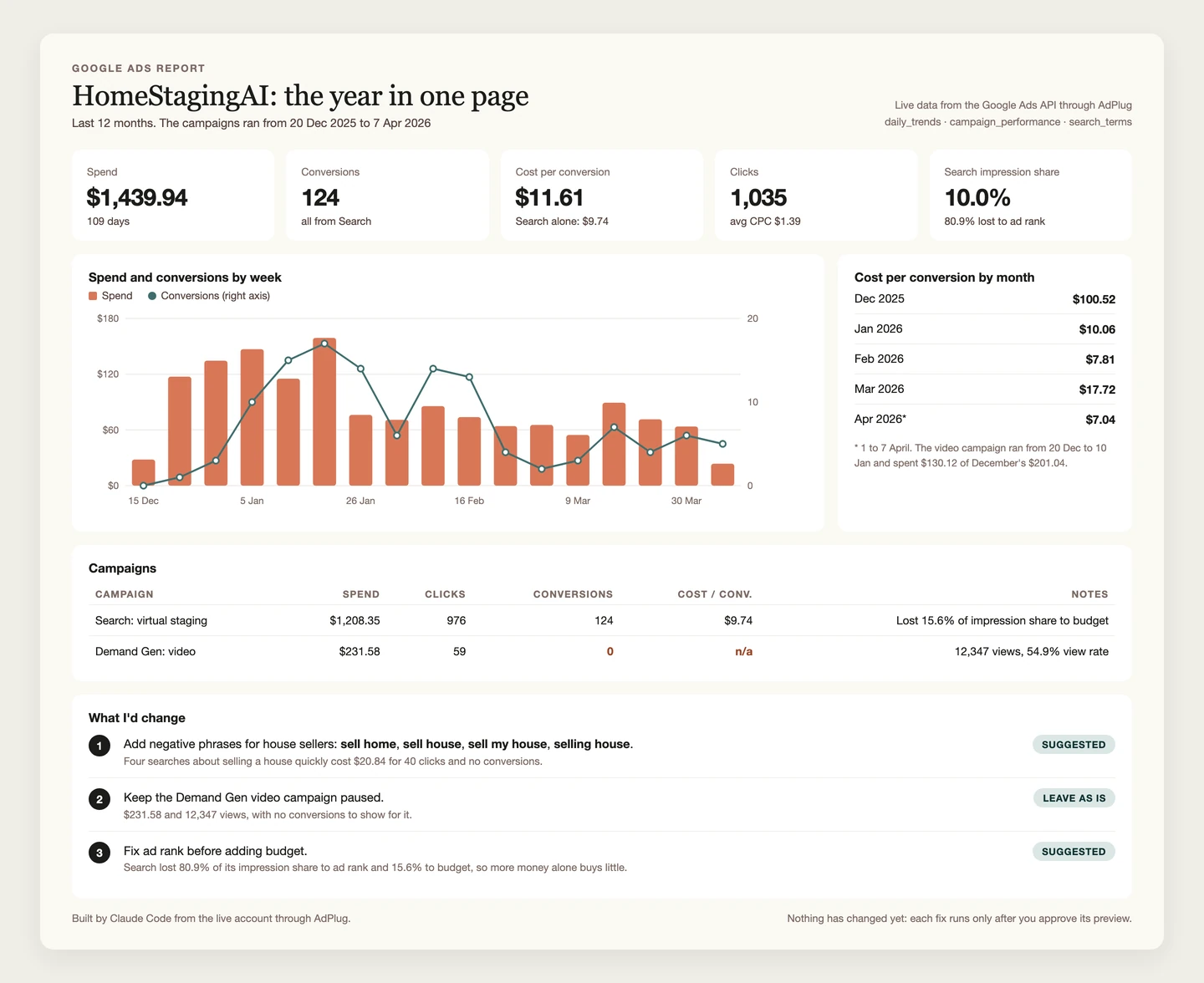
Report and optimise on pipeline, not just conversions
For B2B accounts this is the report that matters. A Google Ads conversion is a form fill. Pipeline is what the client is paying for.
AdPlug connects HubSpot next to Google Ads, so the same chat can follow each campaign from the click to the deal: the contacts it brought, how far they got through the lifecycle stages, and the pipeline they made. Then it can move budget towards the campaigns that make pipeline, with a preview before anything changes.
HubSpot comes with Pro, and one HubSpot connector reaches every client portal you connect: three on Pro, ten on Max and Agency.
 Claude
How far do the contacts from each Google Ads campaign get for Acme Software? I want lifecycle stages, not form fills.
hubspot_reportAdPlug - HubSpotAcme Software · paid search contacts by lifecycle stage
| Campaign | Leads | MQLs | SQLs | Customers |
|---|---|---|---|---|
| Search · Generic | 204 | 61 | 17 | 4 |
| Search · Competitors | 58 | 29 | 12 | 5 |
| Search · Brand | 139 | 22 | 5 | 1 |
Competitors turns about one lead in five into an SQL and has made the most customers, five from 58 leads. Brand brings plenty of leads, but few get past MQL. Want me to pull the spend from Google Ads and suggest budget moves as a preview?
Line up my Google Ads campaigns with HubSpot. For each campaign, show how many contacts reached each lifecycle stage and what each SQL cost, then suggest budget moves as a preview. Don't change anything yet.
If you run an agency
- One flat price for the team. AdPlug Max is $89 a month for three team members, with unlimited requests and edits. On Markifact, Pro has one seat, so a team of three starts on Team at $249 a month, with 10,000 credits to share.
- Access for every user, platform by platform. Each teammate gets View only or Can edit on each platform. The junior can read every client and change none of them, the senior can edit Google Ads and only read LinkedIn, and AdPlug enforces it on every request. Markifact has two roles, team owner and team member, and sets read-only per MCP server.
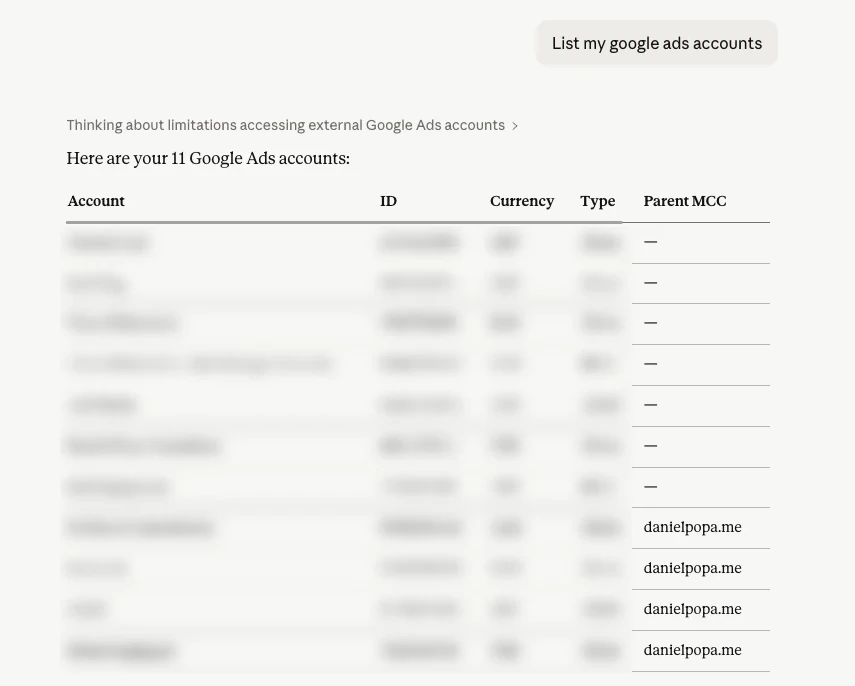
- Every client account, behind one sign-in. AdPlug works on unlimited ad accounts on every plan, the free one included. One Google sign-in covers every account under your manager account, and from Pro you can add Google logins for clients under other MCCs: three on Pro, five on Max and Agency.
- A record of the work. AdPlug logs every tool call, your dashboard shows your latest ones, and a team owner sees each teammate's usage platform by platform. Google Ads' change history fills in the rest.
Markifact pricing
Markifact charges in credits. Pro is $79 a month for 2,500 credits and one seat, or $149 for 5,000. Team runs from $249 a month for 10,000 credits and ten seats up to $999 for 100,000 credits and 50 seats. Paying yearly gives you two months free, and new accounts start with trial credits and no card. Checked on its pricing page on 25 Oct 2026.
What a credit buys depends on where you use it. From Claude or ChatGPT, finding operations is free and each data operation, a report pull or a change, costs about one credit. A workflow run costs a credit plus its steps, and agents bill by tokens, at up to 20 times the base rate on the priciest models. You can buy extra credits, at a price its pages don't publish.
| Plan | Price | What you get |
|---|---|---|
| Markifact trial | $0 | Trial credits, 200 by its blog, no card |
| Markifact Pro | $79/mo, or $790/yr | 2,500 credits a month, one seat, unlimited ad accounts, 7-day logs |
| Markifact Pro, more credits | $149/mo, or $1,490/yr | 5,000 credits a month, one seat |
| Markifact Team | $249/mo, or $2,490/yr | 10,000 credits a month, ten seats, 30-day logs |
| Markifact Team, top tier | $999/mo, or $9,990/yr | 100,000 credits a month, 50 seats |
| Markifact Managed | Custom | Its partners build and run your workflows for you |
| AdPlug Free | $0 | View only, one platform, unlimited ad accounts, 500 requests in the first 5 days, then 50 a month |
| AdPlug Pro | $29/mo | Every platform and HubSpot, 5,000 requests and 200 edits a month, three Google logins, 7-day trial |
| AdPlug Max | $89/mo | Unlimited requests and edits, three team members, five Google logins |
| AdPlug Agency | Custom, per seat | Everything in Max for the whole team, plus a signed DPA |
Like for like, that's a lot more than AdPlug. Markifact's Pro is $79 for 2,500 credits, and AdPlug Pro is $29 for 5,000 requests. For a team of three, Markifact's cheapest option is Team at $249, and AdPlug Max is $89 with no meter at all.
It used to be cheaper, too. In March 2025 Markifact's entry plan cost $29 a month. By November it was $79, by way of $39 and $59, and the team plan went from $129 to $249 by January 2026. None of those changes is in its changelog. I found them in archived copies of its own pricing page.
Two lines I'd read twice. Its terms have a "Strict No Refund Policy", and it applies "even if you forget to cancel before renewal, cancel immediately after renewal, or do not use the Service during a billing cycle." Unused credits don't roll over either. AdPlug has a 14-day refund window, and the free plan never asks for a card.
Markifact alternatives, by the job you need done
The best alternative depends on why you looked at Markifact in the first place. I've compared the Google Ads connectors in more depth in my Google Ads MCP server comparison.
AdPlugMy pick
For PPC specialists, consultants and agencies who want Claude, ChatGPT or their own agents on every account they run, at a flat price with no credits, a server-checked preview before every Google Ads change and access set per teammate. Free to read, then Pro at $29 a month.
Pick it if you want the AI to do the legwork and you to make the calls. See how it works on Google Ads.
 Pipeboard
Meta first, now on eight ad platforms, and charged by the ad account: Pro is $29.90 a month for three, and each extra account is $10. I've compared it with AdPlug in AdPlug vs Pipeboard.
Pick it if you run a handful of accounts and want unlimited commands on them.
 Adspirer
A hosted connector for six ad platforms including Amazon and ChatGPT Ads, charged by the tool call: 15 a month free, then $49 a month for 150. I've compared it with AdPlug in AdPlug vs Adspirer.
Pick it if Amazon Ads is part of your mix.
 Ryze AI
An autonomous agent that runs your ads, and sells SEO and website work on the side, from $89 a month. I've compared it with AdPlug in AdPlug vs Ryze AI.
Pick it if you want to hand the account over rather than approve each change.
Optmyzr, Opteo or Adalysis
Classic PPC platforms with rules, audits and one-click fixes you confirm in their own dashboards. I've scored all three in the best AI tools for Google Ads.
Pick one if you'd rather have suggestions in a dashboard than an AI in a chat.
Switching from Markifact to AdPlug
It takes about ten minutes. Before you start, open Google Ads' change history (and Meta's activity log, if you used it there) to see what was changed through Markifact, and download any execution logs you want to keep: they expire after 7 days on Pro and 30 on Team.
- Switch off its workflows, scheduled agent tasks and anything running on its API first, so nothing changes while you move.
- Cancel in your Markifact account settings before the renewal date. Once a renewal has gone through there's no refund, and you have 30 days after cancelling to export your data.
- Remove its connector from Claude, ChatGPT or Cursor and revoke any manual tokens, then remove its access in your Google account under Security, Third-party connections, and in each other ad platform's list of connected apps.
- Sign up for AdPlug and connect your ad platforms through each one's own sign-in screen. Every account behind that login comes with it, manager accounts included.
- Add AdPlug's address to your AI as a custom connector. The guides walk through it with screenshots for Claude, Grok Bot and ChatGPT dots.
- Start with a question you can check, like last month's spend by campaign. Once the numbers match the platform, move on to the real work.
Who should stay with Markifact
- You've built your reports on its workflow canvas and they run the way you want.
- Snapchat, Pinterest, Amazon, Spotify or DV360 is a real part of your spend.
- You're a founder or a generalist marketer who'd rather not hire a media buyer.
- It's working, your numbers are up, and its changes match your change history. Don't switch for the sake of it.
P.S. Markifact's docs say "Workflows are the recipe, Agents are the chef, MCP is the takeout window." It's a good line. I'd just want to check the order before it leaves the kitchen.